
Web Filtering for a Growing Team: What It Blocks and What It Doesn't
An office manager clicks a link in what looks like a shared-document notice from a vendor. The page that opens asks for a Microsoft 365 password, and it looks exactly like the real sign-in screen. Whether that page ever loads depends on a control most growing companies have heard of but few have set up properly: web filtering.
The short answer: Web filtering checks every website a device tries to reach against lists of known phishing, malware and risky sites, and blocks the bad ones before the page loads. It stops a large share of everyday threats, especially links to known phishing pages and malware downloads. It does not stop brand-new malicious sites, attacks from trusted services, or a person typing their password into a page nobody has flagged yet.
What is web filtering?
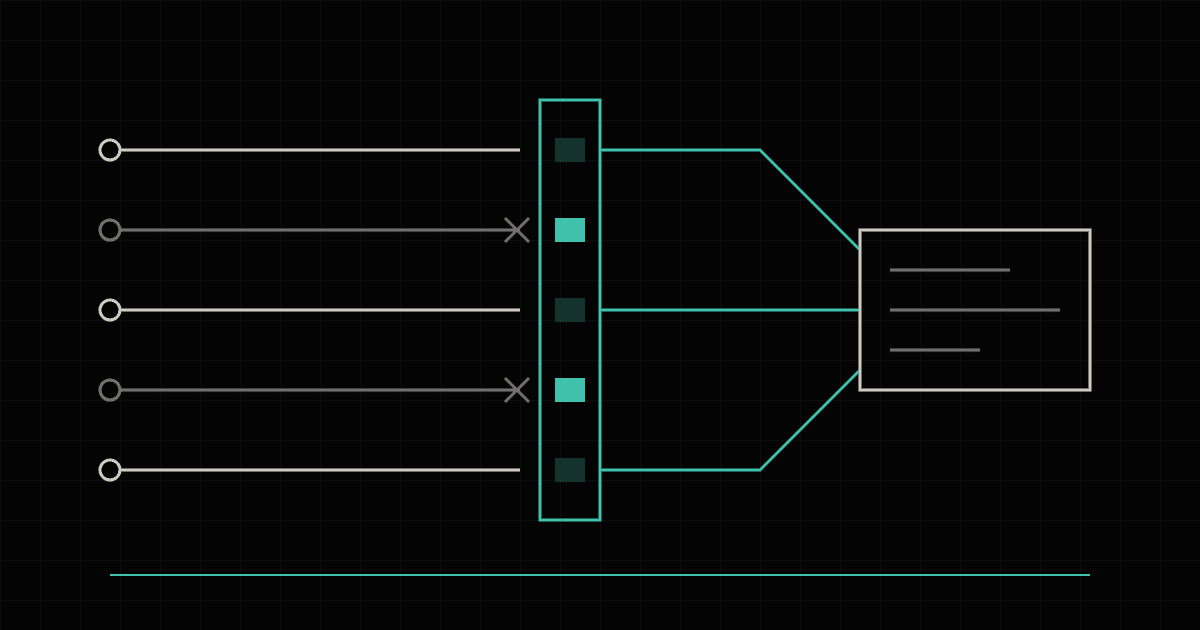
Web filtering is a security control that decides which websites company devices are allowed to open. Every time someone clicks a link, a browser loads an ad, or a program reaches out to the internet, the filter checks the destination and either allows it or shows a block page.
Most filtering for small and mid-sized companies works at one of two layers:
- DNS filtering. Before a device can open a website, it looks up the site's address through the Domain Name System (DNS). A filtering DNS service refuses to answer for domains known to host phishing, malware or command-and-control servers, so the connection never starts. The NSA and CISA call this protective DNS.
- Browser or agent-based filtering. A small agent on each laptop, or a browser policy, checks full web addresses and page categories. It can see more detail than DNS alone, such as a malicious page sitting on an otherwise legitimate domain.
Good setups use both, and they apply on the device itself, not only on the office network. A filter that only works when someone is in the office misses every laptop at home, in a hotel or on airport Wi-Fi.
What does web filtering actually block?
Web filtering blocks connections to sites that are already known or categorized as dangerous. In practice, that covers most of the routine ways a click turns into an incident.
- Known phishing pages. Fake sign-in pages for Microsoft 365, Google, banks and payroll systems get reported and added to threat lists that filtering services check against.
- Malware downloads. Links that deliver ransomware, fake browser updates or infected attachments hosted on file-sharing sites.
- Command-and-control traffic. If malware does land on a laptop, it usually needs to call home for instructions. DNS filtering can cut that line, which is why it also helps contain an infection that started somewhere else.
- Newly registered and parked domains. Many filters can block domains created in the last few days, a common pattern for short-lived phishing campaigns.
- Risky categories you choose. Gambling, adult content, piracy and known malvertising networks are common choices. Some companies also restrict file-sharing or unapproved AI tools here.
The joint NSA and CISA guidance on selecting a protective DNS service says protective DNS can greatly reduce the effectiveness of ransomware, phishing, botnet and malware campaigns by blocking known-malicious domains. During an NSA pilot with defense contractors described in that guidance, the service examined more than 4 billion DNS queries over six months and blocked millions of connections to identified malicious domains.
Why does this matter for a company of 25 to 200 people?
It matters because phishing is still the most reported type of cybercrime in the US, and a smaller company usually has fewer layers of protection behind the click.
The FBI's 2025 Internet Crime Report lists phishing and spoofing as the most reported complaint type, with 191,561 complaints. The same report puts business email compromise losses at about $3.05 billion across 24,768 complaints. That works out to roughly $123,000 per reported case, and many of those cases start with one stolen password entered into a fake sign-in page.
Ransomware hits smaller companies hardest. Verizon's 2025 Data Breach Investigations Report found ransomware present in 88% of breaches at small and mid-sized businesses, compared with 39% at large organizations. Many of those attacks need an outside connection at some point: to download the payload, to reach the attacker's servers, or to send data out. Each of those is a place where filtering can break the chain.
The CIS Critical Security Controls treat this as a basic control. CIS Control 9 lists DNS filtering services among the safeguards for the smallest implementation group, which is the baseline CIS sets for organizations with limited IT and security staff.
What doesn't web filtering block?
Web filtering does not block threats nobody has identified yet, and it can't judge what a person does on a site it allows. Knowing these gaps is what keeps it from becoming false comfort.
| Threat | Web filtering | What covers the gap |
|---|---|---|
| Known phishing page | Usually blocked | Filtering, email security |
| Brand-new phishing page | Often missed | Multi-factor sign-in, training |
| Phishing hosted on a trusted cloud service | Often missed | Email security, sign-in monitoring |
| Malware call-home traffic | Usually blocked | Filtering, endpoint protection |
| Stolen password used elsewhere | Not covered | Multi-factor sign-in, identity monitoring |
| Fraudulent wire request by email | Not covered | Payment callback procedures |
A few of these gaps deserve a closer look:
- New sites. Attackers register fresh domains constantly. Until a site is reported and categorized, a filter may treat it as unknown. Blocking newly registered domains narrows this gap but doesn't close it.
- Trusted services. Attackers host phishing pages on shared document links, form builders and cloud storage that the business uses every day. A filter can't block an entire platform the company relies on.
- Encrypted DNS that skips the filter. Modern browsers can send DNS lookups through their own encrypted channel. The NSA's encrypted DNS guidance warns that this can bypass a company's DNS-based defenses, and recommends sending all DNS traffic to the company's chosen resolver and blocking the others. If nobody sets the browser policies, some laptops may never touch the filter.
- Personal devices. A phone or home computer that isn't managed by the company sits outside the filter entirely.
- Wire fraud and social engineering. A fake invoice or a call from someone pretending to be the CEO involves no malicious website at all.
This is why web filtering is one layer in a baseline, not the whole thing. It works alongside email security, multi-factor sign-in, endpoint protection and a monitored response process, as laid out in our security baseline checklist for growing companies.
How should a growing company set up web filtering?
Set it up on every company device, block the high-risk categories by default, and make sure someone reviews what it catches. A short checklist covers most of it:
- Filter on the device, not just the office. Use an agent or managed DNS setting that follows laptops wherever they connect.
- Lock the setting down. Staff shouldn't be able to switch DNS servers or turn the agent off. Apply browser policies so encrypted DNS goes through the company filter.
- Start with security categories. Phishing, malware, command-and-control, newly registered domains and known malvertising should be blocked for everyone.
- Add business categories deliberately. Decide on file-sharing, personal email and unapproved AI tools with leadership, not by default. If AI tools are part of the decision, tie it to a written AI acceptable use policy so the block page and the policy say the same thing.
- Make block pages useful. Show who to contact and how to request access. A clear exception process stops people from finding workarounds.
- Review the logs. Repeated blocks from one laptop to a command-and-control domain are a sign of infection. Filtering logs also help answer "who clicked?" after a phishing email lands.
- Test it. Visit a safe test page from a few devices, on and off the office network, to confirm the filter is actually in the path.
How does Elevaire Managed Security handle web filtering?
Elevaire Managed Security includes web filtering in every package and runs it as part of the wider security setup, not as a standalone tool. Elevaire deploys the filter on company devices, sets the block categories with leadership, handles exception requests, and reviews the logs alongside email security and endpoint alerts. The Plus and Complete packages add 24/7 detection and response, so a laptop that keeps reaching for a malicious domain at 2 a.m. gets looked at then. Essentials covers response during business hours.
Elevaire works alongside your existing IT provider or internal IT team. Your IT provider keeps managing devices, accounts and the help desk. Elevaire owns the security layer, including filtering, and coordinates with them on changes like agent installs or browser policies.
Example engagement: a 70-person engineering firm uses its office firewall's built-in filter, but most staff work from home three days a week. Elevaire would move filtering onto each laptop, apply browser policies so encrypted DNS can't skip it, block newly registered domains, and agree on a policy for file-sharing sites with the firm's leadership. The firm's IT provider would push the agent through its existing device management, and Elevaire would review blocked traffic each week and in the quarterly security review.
Frequently Asked Questions
Is web filtering the same as a firewall?
No. A firewall controls which network connections are allowed in and out, usually at the office edge. Web filtering focuses on which websites and domains people and programs can reach, and the best setups apply it on each device so it works away from the office too.
Will web filtering slow down our internet?
Not in a way most people notice. DNS filtering adds a check to a lookup the device already makes, and agent-based filters run in the background. If pages do load slowly after rollout, it usually points to a setup problem worth fixing, which a short test on a few devices will show.
How much does web filtering cost for a small business?
Web filtering is one of the less expensive security layers, and it is best judged against what it helps prevent. The FBI's 2025 figures put business email compromise losses at roughly $123,000 per reported case on average. Elevaire includes web filtering in Elevaire Managed Security with predictable monthly pricing and no hourly billing, so it isn't a separate tool to buy and manage.
We already have an IT provider. How does this work with them?
Elevaire works alongside them. Your IT provider keeps running day-to-day IT, and Elevaire manages the security tools, including web filtering, and the monitoring and response around them. The two teams agree on who installs what so nothing gets set up twice or missed.
Can web filtering block AI tools like ChatGPT?
Yes. Most filters have a category for generative AI tools, or let you block or allow specific sites. Blocking everything usually pushes staff to personal devices, so most companies allow approved tools and block the rest, backed by a written policy.
How do we get started?
Start by checking whether your current filter works on every laptop away from the office. Visit a known safe test page from a home network and see whether it gets blocked. If it doesn't, or nobody is sure who manages the filter, that is the first gap to close.
About Elevaire Systems
Elevaire Systems is a managed security services provider for growing companies. We run your security tools and vendors, watch for threats and stop attacks for one predictable monthly price, with virtual CISO leadership and compliance readiness when you need more.
See Where Your Security Stands
Take the free 3-minute scorecard for your top security risks, or book a 30-minute Risk Snapshot to talk it through.